

FL law requires condo associations to maintain a website for you to access data about our community. There is some great information you can learn and review by going to our association’s website. Here is how:
- Go to https://brickellkeyone.connectresident.com/
- You will need to create account by clicking on “Login” in the upper right corner
- Here you will click on “Create Account”
- You will fill in the information then click register
Adding HOA:
This provides only information about the Condo Association website. You should also access our HOA website. This is easy after you have created your account.
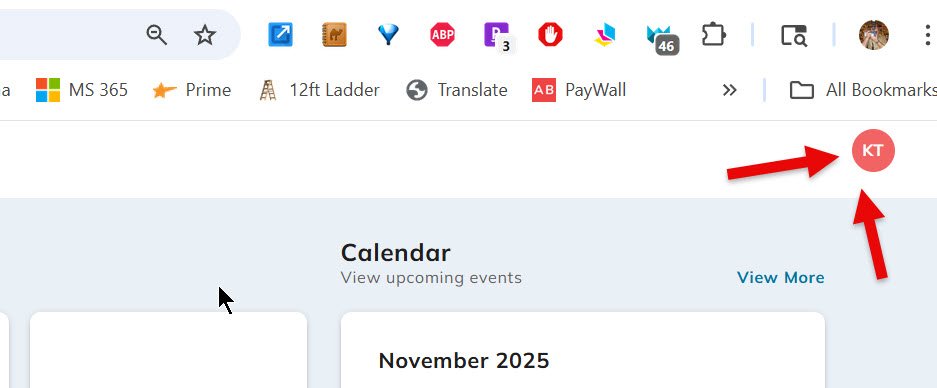
- On the website after logging in, click on your initials in the upper right corner
- When you have done this you will click on “Add New Property” here you will add “Brickell Key Sec One HOA-BKKP”
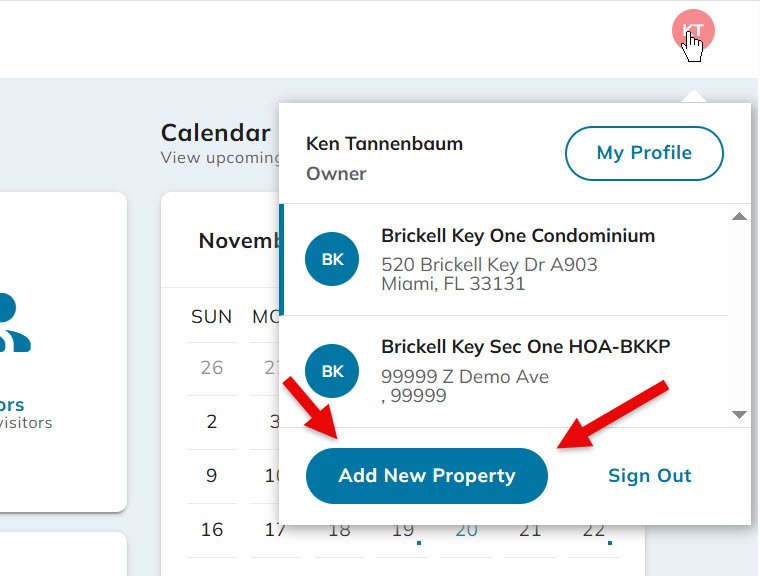
- Once the HOA is added you click on the same “Initials” symbol to move between the various associations
If you own another FSR managed property like Tequesta Two or Carbonell you can add them to your webpage using the steps in “Adding HOA”.
Navigating the site is self-explanatory:
- On the left you can make payments, this connects you to Click Pay
- Forms & Documents is where most of the information is